> ## Documentation Index
> Fetch the complete documentation index at: https://cometchat-22654f5b-docs-ios-thread-subscription-pin-save.mintlify.site/llms.txt
> Use this file to discover all available pages before exploring further.

# Voice & Video Calling

> Add real-time voice and video calling to your apps in minutes with WebRTC-powered SDKs.

<div className="relative w-full flex items-center justify-center" style={{ height: '20rem', overflow: 'hidden' }}>
  <div className="absolute inset-0 bg-primary dark:bg-primary-light" style={{ opacity: 0.05 }} />

  <div style={{maxWidth: '70rem', marginLeft: 'auto', marginRight: 'auto', paddingLeft: '1.25rem', paddingRight: '1.25rem' }}>
    <Columns cols={2} className="items-center gap-x-12">
      <div className="flex flex-col justify-center h-full text-center md:text-left">
        <h1 className="text-gray-700 dark:text-white" style={{ fontSize: '2.2rem', fontWeight: '600' }}>Voice & Video Calling</h1>

        <p className="text-lg text-gray-600">
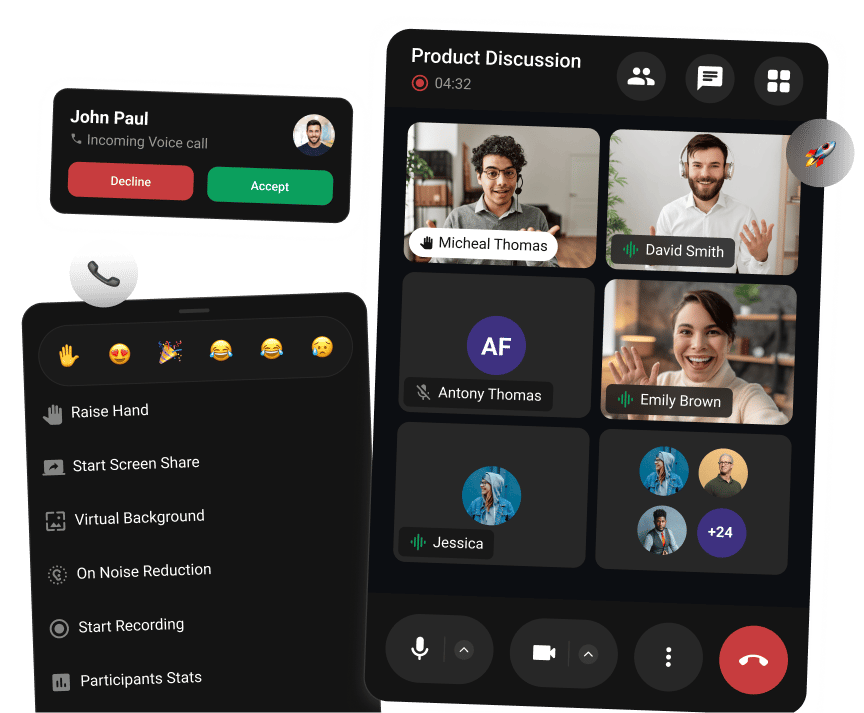
          Add high-quality, real-time voice and video calls to any app. Built on WebRTC with drop-in UI components.
        </p>
      </div>

      <div className="flex flex-col items-center justify-center h-full">
        <img src="https://mintcdn.com/cometchat-22654f5b-docs-ios-thread-subscription-pin-save/s_m5XE4QvqCw9SN-/images/voice-video-banner.png?fit=max&auto=format&n=s_m5XE4QvqCw9SN-&q=85&s=8c1aed002cf79662d7ab5a4c409d880b" alt="Voice & Video Calling UI Preview" className="w-full max-w-[380px]" width="864" height="713" data-path="images/voice-video-banner.png" />
      </div>
    </Columns>
  </div>
</div>

<div style={{marginTop: '2rem', marginBottom: '2rem', maxWidth: '70rem', marginLeft: 'auto', marginRight: 'auto', paddingLeft: '1.25rem', paddingRight: '1.25rem' }}>
  <div className="mb-12">
    <h2 className="text-gray-700 dark:text-white text-2xl font-semibold mb-4">What is CometChat Calls?</h2>
    <p className="text-gray-600 dark:text-gray-300 mb-4">The CometChat Calls SDK provides a complete voice and video calling solution built on WebRTC.</p>

    <div className="flex gap-3 mb-6">
      <a href="https://calls.cometchat.io/" target="_blank" className="inline-flex items-center px-4 py-2 rounded-lg bg-primary text-white font-medium hover:opacity-90 transition-opacity">
        Try Live Demo →
      </a>

      <a href="calls/platform/features" className="inline-flex items-center px-4 py-2 rounded-lg border border-gray-300 dark:border-gray-600 text-gray-700 dark:text-gray-300 font-medium hover:bg-gray-50 dark:hover:bg-gray-800 transition-colors">
        View Features →
      </a>
    </div>
  </div>

  <div className="mb-12">
    <h2 className="text-gray-700 dark:text-white text-2xl font-semibold mb-4">Choose Your Platform</h2>
    <p className="text-gray-600 dark:text-gray-300 mb-4">Get started with the Calls SDK on your preferred platform. Each SDK provides the same core calling features with platform-specific optimizations.</p>

    <AccordionGroup>
      <Accordion title="How It Works">
        <Steps>
          <Step title="Install the SDK">
            Add the Calls SDK to your project via npm, CocoaPods, Gradle, or pub.
          </Step>

          <Step title="Initialize & Authenticate">
            Configure with your App ID and Region, then log in users with their CometChat credentials.
          </Step>

          <Step title="Join a Call Session">
            Generate a session token and join—the SDK renders a complete call UI automatically.
          </Step>

          <Step title="Customize as Needed">
            Adjust layouts, controls, and styling to match your app's design.
          </Step>
        </Steps>
      </Accordion>

      <Accordion title="Why It's Great">
        <Steps>
          <Step title="Built-in UI">Pre-built call screens, controls, and participant views—no UI work required.</Step>
          <Step title="WebRTC Powered">Enterprise-grade media infrastructure handles all the complexity.</Step>
          <Step title="Cross-Platform Consistency">Same features and API patterns across all platforms.</Step>
          <Step title="Easy Integration">Get up and running in minutes with simple setup and clear documentation.</Step>
        </Steps>
      </Accordion>
    </AccordionGroup>

    <CardGroup cols={3}>
      <Card title="JavaScript" icon={<img src="https://mintcdn.com/cometchat-22654f5b-docs-ios-thread-subscription-pin-save/Gnp7Awd-hyA8Chqw/images/icons/js.svg?fit=max&auto=format&n=Gnp7Awd-hyA8Chqw&q=85&s=2a895a321821012492f0895c7539178c" alt="JavaScript" />} href="/calls/javascript/overview">
        Vanilla JS or any web framework
      </Card>

      <Card title="React" icon={<img src="https://mintcdn.com/cometchat-22654f5b-docs-ios-thread-subscription-pin-save/Gnp7Awd-hyA8Chqw/images/icons/react.svg?fit=max&auto=format&n=Gnp7Awd-hyA8Chqw&q=85&s=634289a86b3f6c35c204b4c2714001d5" alt="React" />} href="/calls/javascript/react-integration">
        React web applications
      </Card>

      <Card title="Angular" icon={<img src="https://mintcdn.com/cometchat-22654f5b-docs-ios-thread-subscription-pin-save/Gnp7Awd-hyA8Chqw/images/icons/angular.svg?fit=max&auto=format&n=Gnp7Awd-hyA8Chqw&q=85&s=bd65cd8c455d0d9bbb25c8cbaecb82cc" alt="Angular" />} href="/calls/javascript/angular-integration">
        Angular web applications
      </Card>

      <Card title="Vue" icon={<img src="https://mintcdn.com/cometchat-22654f5b-docs-ios-thread-subscription-pin-save/MtVMWc3qqPDHOBe_/images/icons/vuejs.svg?fit=max&auto=format&n=MtVMWc3qqPDHOBe_&q=85&s=b84e44782a0dee5d84c4049807b3e247" alt="Vue" />} href="/calls/javascript/vue-integration">
        Vue.js web applications
      </Card>

      <Card title="Next.js" icon={<img src="https://mintcdn.com/cometchat-22654f5b-docs-ios-thread-subscription-pin-save/Gnp7Awd-hyA8Chqw/images/icons/nextjs.svg?fit=max&auto=format&n=Gnp7Awd-hyA8Chqw&q=85&s=d8ffe7af7327cc264142a94c8ecd169e" alt="Next.js" />} href="/calls/javascript/nextjs-integration">
        Next.js with SSR support
      </Card>

      <Card title="Ionic" icon={<img src="https://mintcdn.com/cometchat-22654f5b-docs-ios-thread-subscription-pin-save/Gnp7Awd-hyA8Chqw/images/icons/ionic.svg?fit=max&auto=format&n=Gnp7Awd-hyA8Chqw&q=85&s=662eab07e3ebbe6bd25e98c630e1acce" alt="Ionic" />} href="/calls/javascript/ionic-integration">
        Ionic hybrid mobile apps
      </Card>

      <Card title="React Native" icon={<img src="https://mintcdn.com/cometchat-22654f5b-docs-ios-thread-subscription-pin-save/Gnp7Awd-hyA8Chqw/images/icons/react.svg?fit=max&auto=format&n=Gnp7Awd-hyA8Chqw&q=85&s=634289a86b3f6c35c204b4c2714001d5" alt="React Native" />} href="/calls/react-native/overview">
        Cross-platform mobile apps
      </Card>

      <Card title="iOS" icon={<img src="https://mintcdn.com/cometchat-22654f5b-docs-ios-thread-subscription-pin-save/MtVMWc3qqPDHOBe_/images/icons/swift.svg?fit=max&auto=format&n=MtVMWc3qqPDHOBe_&q=85&s=e016f3ceb0ca3066b5ca7673939bd489" alt="iOS" />} href="/calls/ios/overview">
        Native Swift/Objective-C apps
      </Card>

      <Card title="Android" icon={<img src="https://mintcdn.com/cometchat-22654f5b-docs-ios-thread-subscription-pin-save/Gnp7Awd-hyA8Chqw/images/icons/android.svg?fit=max&auto=format&n=Gnp7Awd-hyA8Chqw&q=85&s=a25b987c730f8b26ee47ed512076dcee" alt="Android" />} href="/calls/android/overview">
        Native Kotlin/Java apps
      </Card>

      <Card title="Flutter" icon={<img src="https://mintcdn.com/cometchat-22654f5b-docs-ios-thread-subscription-pin-save/Gnp7Awd-hyA8Chqw/images/icons/flutter.svg?fit=max&auto=format&n=Gnp7Awd-hyA8Chqw&q=85&s=6eecb9d6c8d8ddf5230cff5dac0335d0" alt="Flutter" />} href="/calls/flutter/overview">
        Cross-platform with Dart
      </Card>
    </CardGroup>
  </div>

  <div className="mb-12">
    <h2 className="text-gray-700 dark:text-white text-2xl font-semibold mb-4">Sample Apps</h2>
    <p className="text-gray-600 dark:text-gray-300 mb-4">Explore our open-source sample apps to see the Calls SDK in action. Clone, run, and customize for your needs.</p>

    <CardGroup cols={3}>
      <Card title="JavaScript" icon="github" href="https://github.com/cometchat/calls-sdk-javascript">
        Web calling with React, Vue, and vanilla JS
      </Card>

      <Card title="Android" icon="github" href="https://github.com/cometchat/calls-sdk-android">
        Native Android with Kotlin/Java
      </Card>

      <Card title="iOS" icon="github" href="https://github.com/cometchat/calls-sdk-ios">
        Native iOS with Swift
      </Card>

      <Card title="React Native" icon="github" href="https://github.com/cometchat/calls-sdk-react-native">
        Cross-platform mobile app
      </Card>

      <Card title="Flutter" icon="github" href="https://github.com/cometchat/calls-sdk-flutter">
        Cross-platform with Dart
      </Card>
    </CardGroup>
  </div>
</div>